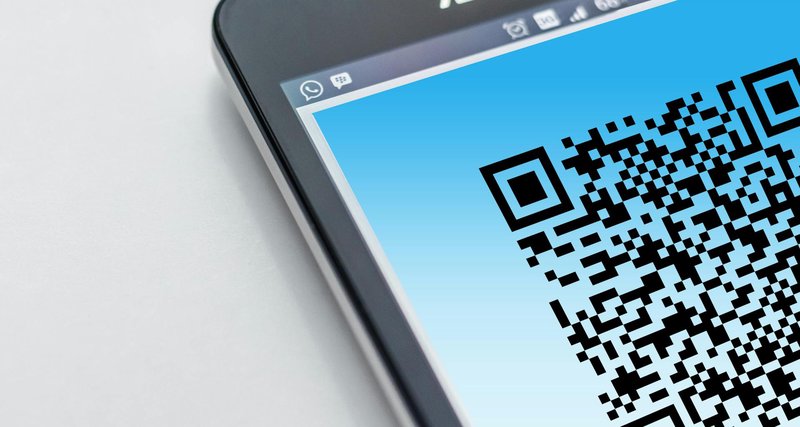
You’ve designed the perfect flyer. The layout is spot on, the colours look great, and you’ve included a QR code linking to your website. You send it to the printer, order 2000 copies, and wait for them to arrive.
Then you realise the URL has changed.
Maybe you’ve updated your website structure. Perhaps the event page moved. Or you simply spotted a typo in the destination link. Whatever the reason, those 2000 flyers now point somewhere unhelpful and there’s nothing you can do about it.
This is the problem with static QR codes. Once printed, they’re fixed forever.
How dynamic QR codes solve this
The trick is simple: instead of encoding your final destination directly into the QR code, you encode a short link that redirects to your destination.
Here’s the difference:
Static QR code: Points directly to yoursite.com/summer-event-2026
Dynamic QR code: Points to redirme.com/summer-2026 which redirects to
yoursite.com/summer-event-2026
The QR pattern itself never changes. But because it points to a short link you control, you can update where that link goes whenever you need to. Your printed materials stay relevant even when circumstances change.
When this matters most
Any print material with a longer shelf life benefits from dynamic QR codes:
- Business cards – update your portfolio link without reprinting
- Product packaging – redirect to updated instructions, warranty pages, or promotions
- Menus – point to your online ordering system, which might change providers
- Event posters – adjust the destination if registration moves or details update
- Brochures and catalogues – keep links working across print runs
The longer something stays in circulation, the more likely its destination will change. Dynamic QR codes give you a safety net.
The bonus: tracking scans
When you create a QR code through a URL shortening service like RedirMe, you also get visibility into how many people actually scan it.
This is genuinely useful for print campaigns. You can compare performance across different materials – did the flyer or the poster drive more traffic? Which location generated more scans? Without tracking, print marketing is largely guesswork.
RedirMe tracks QR scans separately from regular link clicks, so you can see exactly how your printed materials are performing versus your digital shares.
How to set it up
The process takes about a minute:
- Create a short link pointing to your intended destination
- Generate a QR code for that short link
- Download the QR image and add it to your design
- Print your materials
Later, if the destination needs to change, log into your dashboard and update where the short link points. Every printed QR code using that link will now lead to the new page.
No reprinting. No wasted materials. No awkward “this page has moved” messages for your audience.
A note on QR code sizing
One practical tip: make sure your QR code is large enough to scan reliably. As a rough guide, it should be at least 2cm × 2cm for close-up scanning (like business cards) and larger for materials viewed from a distance (posters, banners).
Also leave some white space around the code – cramming it into a corner or butting it against other design elements can make scanning difficult.
The bottom line
Static QR codes are fine for one-off uses where you’re certain the destination won’t change. But for anything with a longer lifespan – especially professionally printed materials – dynamic QR codes are worth the tiny extra effort.
You’re not just protecting yourself against mistakes. You’re giving yourself flexibility to update campaigns, fix issues, and keep your printed materials working long after they’ve left the printer.